Overhead Rotor
An alt/az pointer that physically slews to whatever the dashboard is tracking.
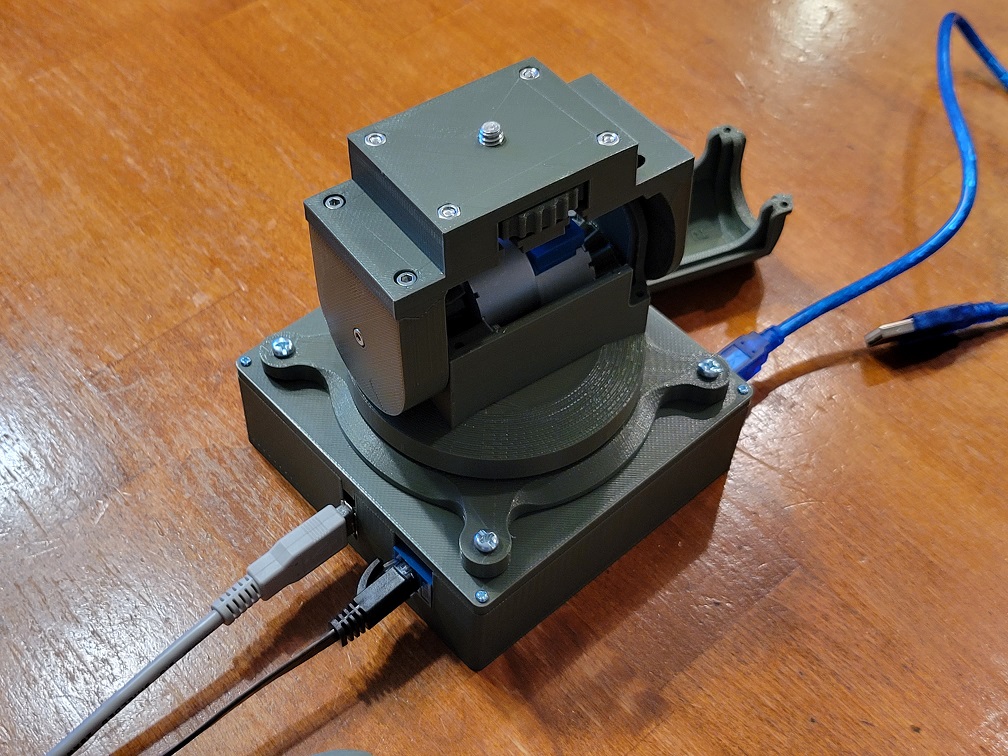
The Companion Rotor is a two-axis pointer that aims at the ISS, a satellite, or a planet — live. It's a dumb pointer: the Overhead dashboard broadcasts az/el over ESP-NOW, and the rotor homes itself, calibrates without any gear-ratio math, and tracks. Runs on a plain ESP32 devkit driving 28BYJ-48 or NEMA 17 motors — one firmware, with the motor type, pins, and switches all set in a browser after flashing.
Flash it from your browser
One firmware for both motor types. Plug the ESP32 in over USB, click Install, and choose its serial port. Flashing takes ~1 minute and erases the device.
After flashing, the rotor hosts a Rotor-setup Wi-Fi
network — join it and open http://192.168.4.1/ to choose your motor type (28BYJ or
NEMA 17), set pins, switches, and the ESP-NOW channel, and run calibration. Changing hardware
never needs a re-flash. (NEMA 17 needs its own 12–24 V motor PSU.)
Any plain ESP32 WROOM devkit. Drives 28BYJ-48 (ULN2003) or NEMA 17 (A4988/TMC2209).
Desktop Chrome or Edge (Web Serial). Won't work on Firefox/Safari/mobile.
MPU6050 (el reference), an azimuth limit switch, optionally an elevation switch.
Requires a Chromium browser (Chrome / Edge) served over HTTPS or localhost.
Web Serial does not work from a file:// page or over plain HTTP.
Wiring
These are the factory-default pins — change any of them in the Rotor-setup web UI
(no re-flash). Optional switches stay off until you assign a pin there. Every switch wires to
GND and reads active-LOW (INPUT_PULLUP).
| Signal | 28BYJ-48 default (ULN2003) | NEMA 17 (A4988/TMC2209) |
|---|---|---|
| Az motor | IN1–4 → GPIO 32, 33, 25, 26 | STEP 26, DIR 25, EN 33 |
| El motor | IN1–4 → GPIO 27, 14, 12, 13 | STEP 17, DIR 16, EN 4 |
| Az home switch required · az zero + auto-cal |
GPIO 34 ↔ GND — GPIO34 has no internal pull-up, so add an external ~10k to 3V3. | |
| El home switch optional |
Any free GPIO, assigned in the web UI. If left unset, el homes off the accelerometer instead. | |
| Travel end-stops optional · safety |
Az CW/CCW & el min/max, assigned in the web UI. The axis won't drive past an active stop. | |
| IMU — MPU6050 | SDA 21, SCL 22, VCC 3V3, GND (I²C addr 0x68). | |
Use a 6-DOF MPU6050 — not a 9-DOF. Only the accelerometer (the gravity vector) is
read, to reference and trim elevation. A 9-DOF's magnetometer is never used — azimuth heading comes
from the home switch + step count + your one-time SETNORTH — and sitting inches from the
stepper coils a compass would read garbage anyway.
Then calibrate — no gear-ratio math
Use the buttons in the Rotor-setup web UI (or a serial monitor at 115200). Results
persist to NVS and survive a reflash. Typical first run: CAL EL → CAL AZ →
jog to north → SETNORTH.
| Command | What it does |
|---|---|
CAL EL | Measures el steps/deg against gravity (the accelerometer) — automatic, exact. |
CAL AZ | Homes to the limit switch, jogs one full turn back to it → az steps/deg. Falls back to a guided MARK cal if cable-wrap blocks a full turn. |
SETNORTH | Jog the pointer to true north first, then this stores the north offset. |
AZ± / EL± | Jog an axis by degrees (used for SETNORTH and the manual az fallback). |
SHOW / HOME / RESET | Print calibration · re-home · clear NVS back to config.h defaults. |
Full build/wiring guide: rotor/README.md.
← Back to the Overhead dashboard flasher — the display this rotor points along with.
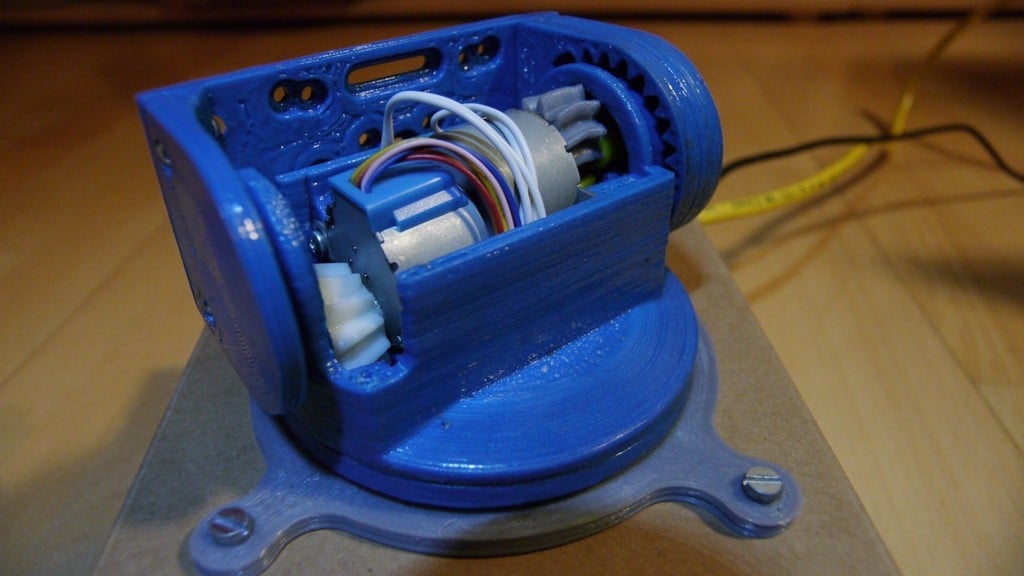
A great mechanical base for this: hollerer's 360° pan / 180° tilt head (thing:314027) — two 28BYJ-48 + ULN2003 with a microswitch per axis. In the web UI, home az to the pan switch and el off the accelerometer (its tilt switch sits at a travel extreme, not the horizon), and set a little az backlash comp for the printed gears.
Prefer an antenna rotator? The firmware is motor-agnostic (28BYJ or NEMA, chosen in the web UI), so it also suits other stepper az/el builds — e.g. jbyrns's AZEL Satellite Antenna Rotator for a ham Arrow antenna.
Source, hardware guide & backlog: github.com/JamesDavid/Overhead · Free for personal/non-commercial use (PolyForm Noncommercial 1.0.0). · DE KE7AQA