Overhead
A whole observation deck for the sky — on a $12 touchscreen.
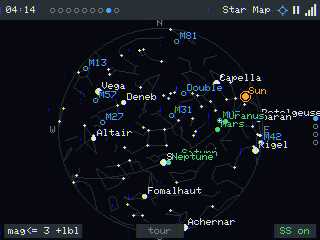
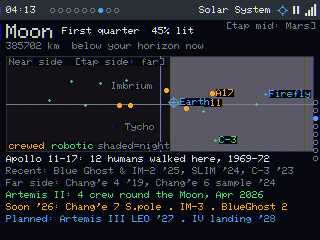
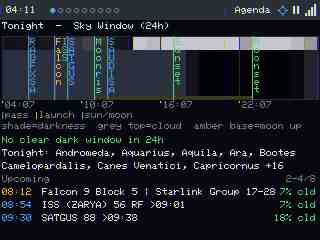
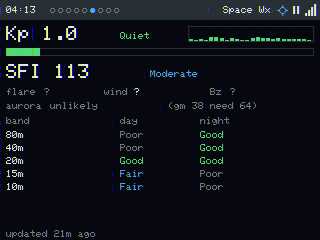
Overhead turns a Cheap Yellow Display (ESP32-2432S028R) into an always-on air-&-space situational-awareness dashboard: satellites passing overhead, rocket launches, nearby aircraft, aviation & space weather, the solar system, a live star map, and a tonight-at-a-glance agenda — all location-aware, with an "Intelligent Focus" director that surfaces the thing worth looking at right now. Its heart: putting the awe of far-away missions on a kid's bedside table, updating in real time — "look, the ISS goes over our house in 4 minutes."
Flash it from your browser
Plug the board in over USB, pick your board variant, then click Install and choose its serial port. Flashing takes ~1 minute and erases the device.
Targets: the ESP32 2.8" CYD (ILI9341) or the 5" Crowpanel Advance
(ESP32-S3, 800×480). On a CYD, not sure which? Flash CYD2USB first; if the screen is
sideways/portrait, upside-down, or the colours look wrong, either reflash Elegoo or fix it live in
Settings → Screen (rotation / invert / R–B order). For the big panel pick Crowpanel Advance 5in. The Crowpanel 7in classic
is community-tested — display, touch, WiFi and storage all verified on real hardware. The Crowpanel Advance 7in and
Crowpanel HMI 5in / 502727 options are still experimental (factory-driver pins/timing, not yet hardware-verified) — flash those only
if you're helping bring them up. (Not sure which 7in you have? The Advance says "Advance" on the box/silkscreen and has the metal-shielded
module + STC8 backlight; the classic is the older plain "CrowPanel 7.0".)
After flashing, join the Overhead-setup Wi-Fi to enter your network.
ESP32-2432S028R "CYD" (2.8" ILI9341, resistive touch). ~$10–15.
Desktop Chrome or Edge (Web Serial). Won't work on Firefox/Safari/mobile.
A data USB cable + the CH340 driver if your OS needs it.
What you get
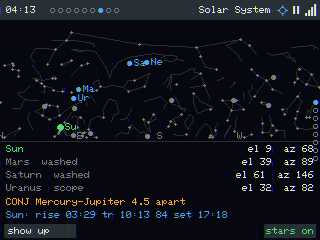
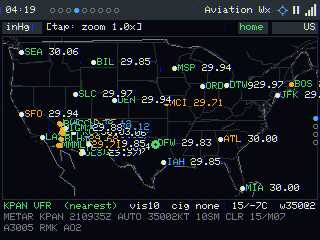
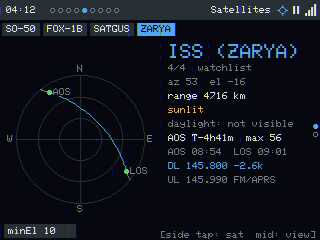
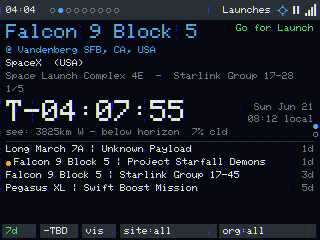
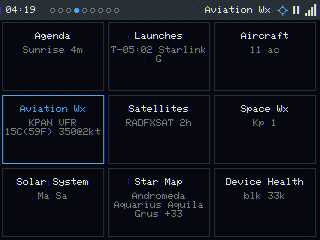
Then what?
On first boot it opens a Wi-Fi setup portal; after that it geolocates, syncs time,
and starts pulling live feeds. Tap the status strip to switch AUTO/MANUAL, tap a page
title for its views menu, and reach the full web UI at the device's address
(/ settings, /remote live screen + control, /update OTA).
Runs real HTTPS feeds on a no-PSRAM board — heap-floor-aware TLS that serves stale instead of crashing, a serialized non-blocking net task, a Wi-Fi watchdog, and a remote debug/automation API. See the repo for the engineering write-up.
Companion hardware: the Overhead Rotor — an alt/az pointer that physically slews to whatever the dashboard is tracking (flash it from here too).
Thanks: @dustinsterk — CrowPanel 7in classic bring-up (field-testing that pinned four firmware bugs) + the busy-airspace memory fix (PR #1).
Source, hardware guide & backlog: github.com/JamesDavid/Overhead · Free for personal/non-commercial use (PolyForm Noncommercial 1.0.0). · DE KE7AQA